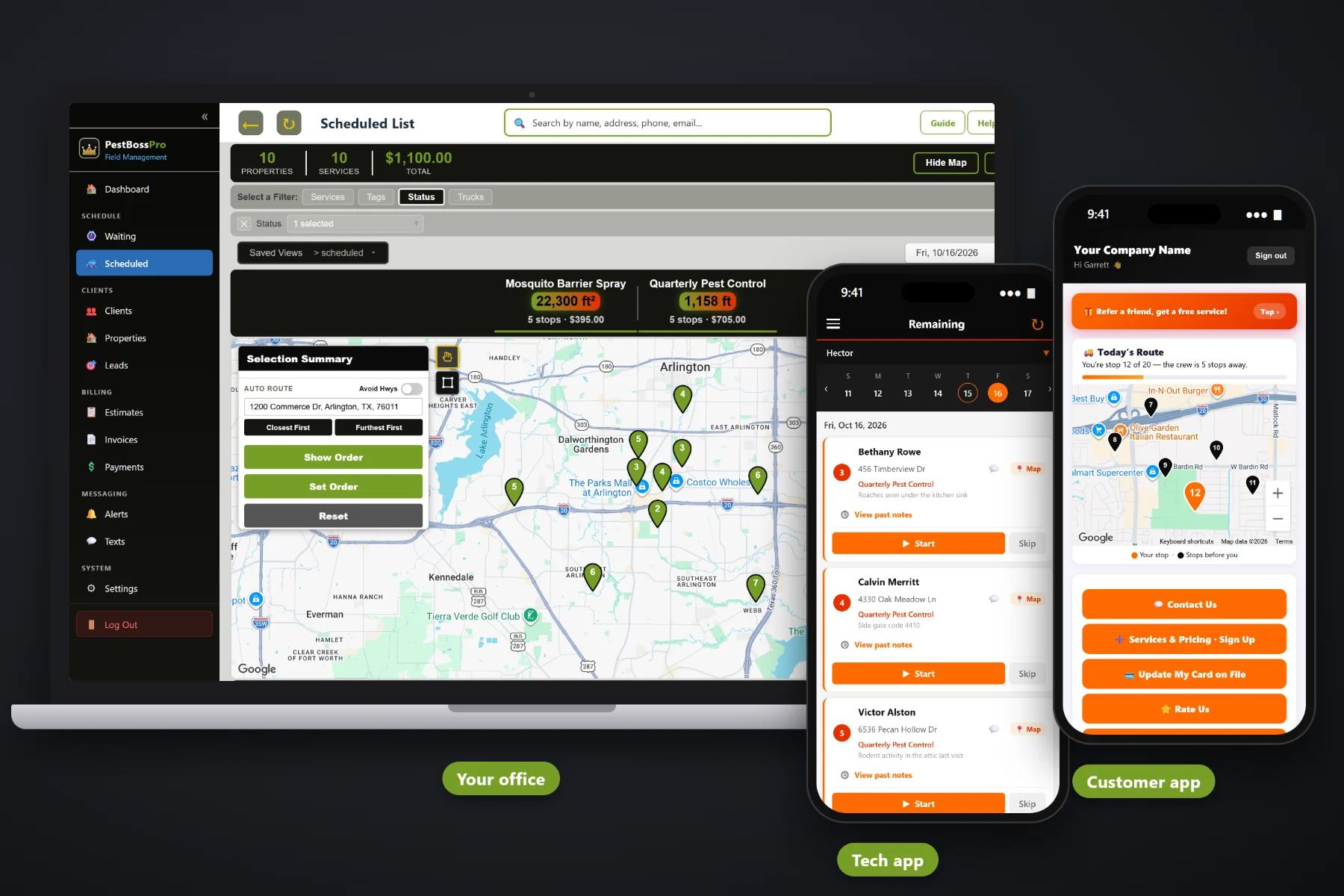
A restaurant wants its monthly service before the cooks arrive. A property manager wants six buildings on one bill and a unit treated by Friday. A warehouse wants its bait stations checked and a record of what was found. PestBossPro keeps every location under one account, puts access notes and service notes on the tech's phone, keeps the chemical application record for every treatment, saves before-and-after photos, and sends one statement a month that covers every address.
Commercial accounts want proof: when you came, what you used, where you put it and what you saw. Plans start at $59/month, and every plan handles multi-location accounts, monthly statements, chemical records and photos. For the residential side, routing and the rest of the platform, start at PestBossPro and come back here for the commercial details.
A restaurant group or property manager is one client with every store or building listed as its own address.
Set the account to Monthly and it gets one statement each month covering every location you serviced.
Every completed treatment with a tracked product keeps its application record: products, EPA reg. no., amounts, target pest, site and tech license.
Photos from the tech's phone stay with the job, so the manager can see the sealed gap or the cleaned-out station.
Key box codes, alarm notes, back-door instructions and who to ask for show on the tech's phone at every visit.
Send the commercial quote, the manager approves it online, and it turns into scheduled service.
Commercial clients rarely stay at one address. A taco chain opens a third store, a property manager picks up another complex, a distributor leases a second building. In PestBossPro the client is the account and each location is an address under it, with its own service plan, its own access notes and its own history, while the bill still goes to one person.
Most small pest companies add commercial work on top of a residential route. PestBossPro runs both from the same schedule, the same tech app and the same billing, so a restaurant stop is just another card on the route with a few more notes on it.
Build the estimate from your own service list, such as commercial monthly service and a rodent program, and send it for online approval.
Put each store, building or warehouse under the one client, with access notes, custom fields and a monthly service plan.
Each location lands on the Waiting List when its 30 days are up. Route it with the rest of the day and the tech sees it in order.
The tech records what was applied, takes photos and completes the stop. The account gets one statement for the month.
A restaurant does not drop its pest company because one roach showed up. It drops the pest company when the manager asks for the last three service records and nobody can find them.
Talk to any owner who has run commercial accounts on spreadsheets and paper and you hear the same things: a service ticket left on a desk that the new manager threw away, a key that only one tech knew about, five invoices sent to a property manager who wanted one, and a call asking what product went down in the dish room last month that took an afternoon to answer.
None of that is pest control. It is record keeping, and it decides whether the account renews. When the access notes, the application record and the photos live on the location, any tech can run the stop and the office can answer in a minute.
PestBossPro keeps the quote, the locations, the visits, the records and the bill in one place for every commercial account.
The tools here exist to win commercial accounts, service them on time, answer the manager's questions and keep them renewing.
One client with many addresses, each with its own plan, notes and service history.
An account set to Monthly gets one statement each month covering every location.
Set 30 days between visits and each location comes due on the Waiting List on its own.
Products, active ingredient, EPA reg. no., rate, amount, area, target pest, site, equipment, weather and tech license on each treatment.
"Need a chemical record" on the schedule shows completed treatments still missing their record.
Pull application records for any date range when a manager or inspector asks.
Proof of service saved with the job: sealed gaps, sanitation issues, station condition.
Lockbox codes, alarm instructions, which door, and which manager to find, on every visit.
Mark accounts as restaurant, apartment, office or warehouse and store the details you need.
Estimates from your service list, approved online, turned into scheduled jobs.
Text managers back and forth, plus automatic on-the-way and arrived alerts.
Managers request service in the customer app between scheduled visits.
Fit commercial stops into the day with auto-route Closest First or Furthest First from the shop.
Card on file, online payment, sales tax on invoices and past-due follow-up.
Runs in the browser on iPhone and Android. No app store, company login plus personal PIN.
Start $59, Pro $89 and Crew $199 per month, with commercial accounts on every plan.
Each commercial location comes due on the Waiting List when its monthly interval is up, right next to your quarterly homes and mosquito yards. Circle an area on the map, schedule it, and set the order so the restaurant that opens at 7 is first and the office park that wants you after hours is last. The tech sees the same order, with the access notes on each card. For the full picture, read Commercial Pest Control Software: The Complete Guide to Winning and Running Commercial Accounts.
The person who hired you is usually busy running a kitchen or a leasing office. Automatic alerts tell them the tech is on the way and has arrived. Two-way texting lets them reply with “use the back door today” or “unit 214 has roaches.” The customer app lets them request service, see invoices, pay online and update the card, and the office can pull the account's application records whenever they are asked for.
Pick the plan that fits your operation. Every plan starts with a 14-day free trial and no credit card.
Compare plans on the pricing page.
Yes. A restaurant group, property manager or company with several buildings is one client, and each location is its own address with its own service plan, access notes and history. Set the client to Monthly billing and they get one statement each month that covers every location.
For every completed treatment that used a tracked product, PestBossPro keeps the application record: date and times, address, products with active ingredient and EPA reg. no. if entered, rate and amount, area treated, target pest, site, equipment, technician name and license number, weather and re-entry notes. Chemical reports pull those records for any date range, and before-and-after photos stay with each job.
No software can promise that. PestBossPro helps you keep the application records many states require, but the rules come from your state's lead pesticide agency and the product label. Check both, and follow the label.
Not really. Large food-processing plants and audit-driven contracts often expect detailed device-by-device trend reporting and audit binders. PestBossPro fits restaurants, apartments, offices, retail, churches, schools and warehouses run by a small pest company. If most of your revenue is audited food plants, test those specific needs during the trial.
Yes. Commercial estimates are built from your own service list, approved online and turned into scheduled jobs. Managers can request service and pay invoices in the customer app, and two-way texting keeps the conversation in one place.
Start is $59/month, Pro is $89/month, and Crew is $199/month. Commercial accounts work on every plan, and every plan starts with a 14-day free trial with no credit card.
Commercial accounts are one piece of how PestBossPro runs a pest control company. For recurring residential service, mosquito programs, routing and billing, see the full PestBossPro platform overview.
Practical reading on restaurants, apartments and property managers, offices, retail, churches, schools and warehouses, multi-location accounts, monthly statements, service and chemical records, photos, access, quoting and keeping accounts renewing.
Multi-location clients, monthly statements, chemical application records, before-and-after photos and access notes on every tech's phone. Try PestBossPro free for 14 days.