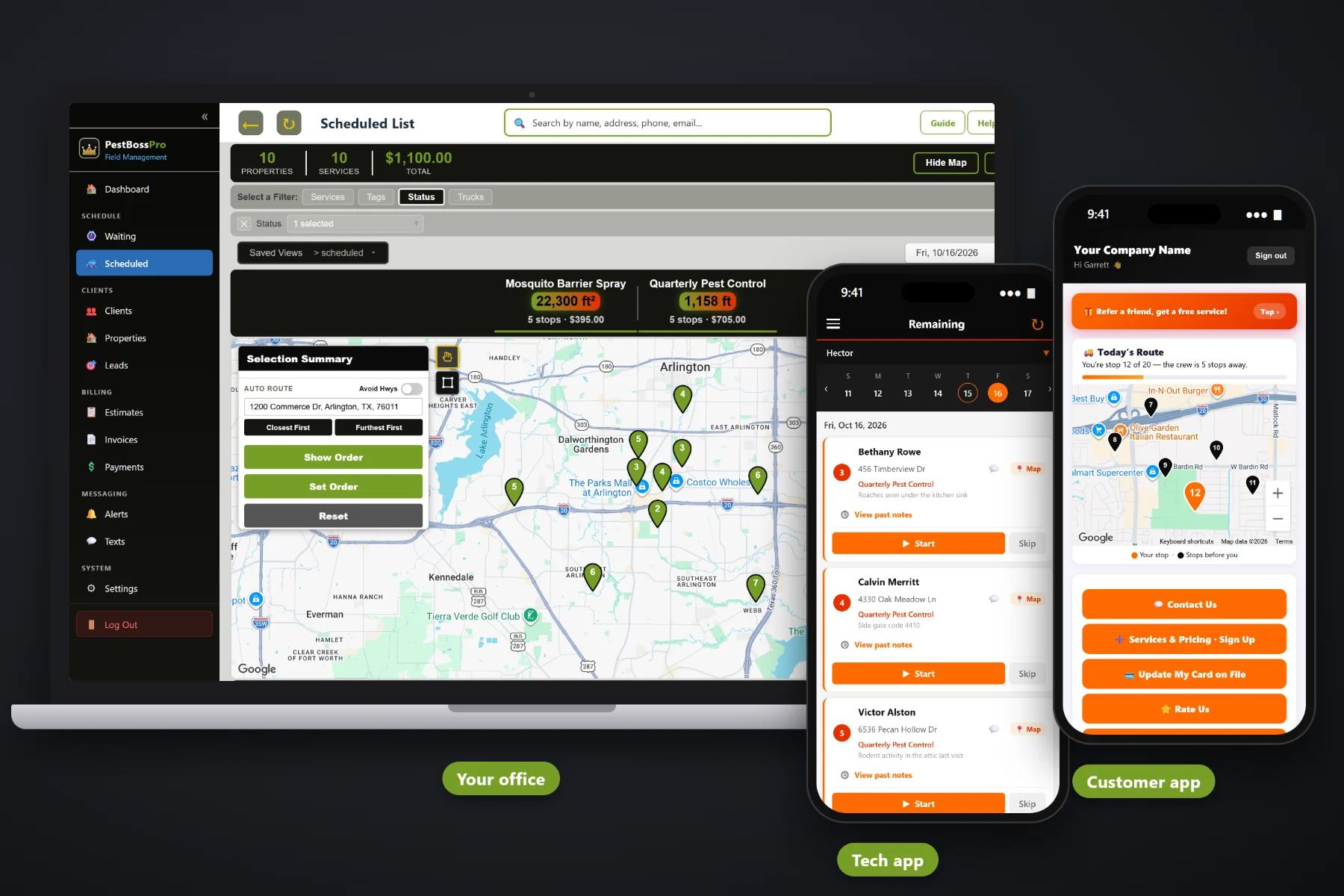
Pest control billing is a mix of quarterly plans, initial services, mosquito seasons paid up front, free re-services, termite inspections and restaurants that want one bill a month. PestBossPro creates the invoice when the tech taps Complete, charges the card on file, takes online payment in the customer app, tracks prepayments for programs, follows up on past-due accounts and rolls every commercial location into one monthly statement.
Plans start at $59/month, and invoicing and payments are part of every plan. Line items, sales tax, card on file, auto-charge, online payment, prepayments and monthly statements come with the platform, not as an add-on. To see how billing fits with the Waiting List, routing, the tech app and chemical records, start at PestBossPro and then come back here for the money side.
The tech taps Complete and the invoice is created from the services on the job. Nobody types tickets into a computer at night.
Customers put a card on file when they sign up, and it can be charged after each service or on a schedule you set.
“Quarterly Home Pest Service” and “Mosquito Barrier Treatment” read better than a code and a total. Sales tax shows on its own line.
Take a mosquito season or an annual plan up front and apply the prepayment as the visits are done.
A restaurant group or property manager set to Monthly gets one statement each month covering every location.
Customers see their invoices, pay online and update their own card without calling the office.
Most billing calls start with “what is this charge?” PestBossPro builds each invoice from your own service list, so the line says what the tech actually did, at the address where they did it, with the price you set and the tax on its own line. The customer gets the invoice, sees it in the customer app, and the card on file can be charged without a phone call.
Pest control owners did not start a company to sit at the kitchen table typing service tickets into invoices. PestBossPro turns the completed job into the invoice and the payment, so most accounts bill themselves and the office only touches the ones that need a person.
Add your initial service, quarterly plan, mosquito, rodent, termite inspection and one-time jobs with your own prices and tax settings.
New customers sign up and put a card on file in the customer app, or the office adds it when the account is opened.
The tech taps Complete, the invoice is created and the card on file can be charged right then.
Declined cards, past-due accounts and monthly commercial statements are the only billing work left for the office.
A plain invoicing tool knows a customer and an amount. Pest control billing is a recurring plan, a higher first visit, a season paid in spring, a free re-service in between, and a commercial account with six locations that wants one bill.
Ask a pest control owner how billing really runs and you will hear the same story: paper service tickets on the dash, invoices typed in on Sunday night, a customer who swears the quarterly service was prepaid, and a restaurant group that got six separate invoices and paid none of them. A card that declined in March and nobody noticed until June. A free re-service that went out as a charge and turned into an angry call.
Billing belongs on the job, not on a ticket that has to be retyped. When the completed visit becomes the invoice, the money follows the work and the office stops chasing paper.
PestBossPro keeps the service, the property, the customer and the payment in one place, from the first estimate to the paid statement.
Every tool here exists to get paid for the work your techs already did, with fewer phone calls, fewer paper tickets and fewer surprises at month end.
Complete in the tech app creates the invoice from the services on the job.
Initial service, quarterly plan, mosquito, rodent, termite and one-time jobs, each on its own line with your prices.
Sales tax calculated and shown on the invoice. Your accountant tells you what is taxable where you work.
Collected at sign-up or added by the office, so recurring accounts do not need a check each visit.
Charge the card on file when the job is completed or on a schedule you choose.
Mosquito seasons, annual plans and other programs paid up front and applied as visits are invoiced.
Multi-visit programs like a mosquito season set up as a package, so the visits and the billing line up.
Run your re-service policy as a visit on the account without billing the customer again.
See what is unpaid and follow up before an open invoice becomes a lost account.
Customers see invoices, pay online and update their card in the customer app.
Restaurants, apartment complexes and property managers set to Monthly get one statement covering every location.
Inspections and termite work billed from your service list to whoever ordered them.
Text a customer about a declined card or an open invoice, and replies come back to the office.
Look over invoices and payments for any period at month end without digging through tickets.
Bills customers in their own currency in the US, Canada, Australia, New Zealand and the UK.
Start $59, Pro $89 and Crew $199 per month, with billing on every plan.
A homeowner on a quarterly plan is easiest to bill one visit at a time: the tech completes the service and the card on file is charged. A restaurant group or property manager wants something else entirely, one bill a month with every location on it. Set that account to Monthly and PestBossPro rolls every completed visit at every address into one statement. For the full picture of how pest control billing fits together, read Pest Control Invoicing: The Complete Guide to Billing, Payments and Cash Flow for Pest Control Companies.
The fastest billing call is the one that never happens. In the PestBossPro customer app, customers see their invoices, pay online and update the card on file when the old one expires. They also see what is coming: night-before reminders, when they are next and when the tech arrives. When something needs a person, two-way texting puts the office and the customer on the same thread, and the conversation stays with the account.
Pick the plan that fits your operation. Every plan starts with a 14-day free trial and no credit card.
Compare plans on the pricing page.
When the tech taps Complete in the tech app, the invoice is created from the services on the job. If the customer has a card on file, it can be charged right then, or on a schedule you choose.
Yes. Customers can sign up for services and put a card on file in the customer app, or the office can add it when opening the account. Customers can update their own card later when it expires or gets replaced.
Record the prepayment on the account. As each visit is completed and invoiced, the prepayment is applied, so the customer is not charged again and you can see what is left.
Re-service policy is yours to set. Most companies schedule the re-service as a visit on the account without a charge, so the work is on the record and the customer does not get a bill.
Yes. Set the account to Monthly and it gets one statement each month covering every location, instead of an invoice per visit per address.
Invoices carry sales tax. What is taxable and at what rate depends on where you work and what the service is, so set it up with your accountant.
Start is $59/month, Pro is $89/month, and Crew is $199/month. Invoicing and payments are on every plan, and every plan starts with a 14-day free trial with no credit card.
Billing is one piece of how PestBossPro runs a pest control company. For the Waiting List, routing, the tech app, chemical application records and commercial accounts, see the full PestBossPro platform overview.
Practical reading on line items, card on file, auto-charge, quarterly plans, initial services, prepayments, re-services, declined cards, past-due accounts, sales tax, commercial statements, termite and WDI invoicing, cash flow and month-end review.
Invoices at completion, card on file, auto-charge, prepaid programs, online payment and one monthly statement for commercial accounts. Try PestBossPro free for 14 days.